
Style guide
GTA style image generator for comic city portraits
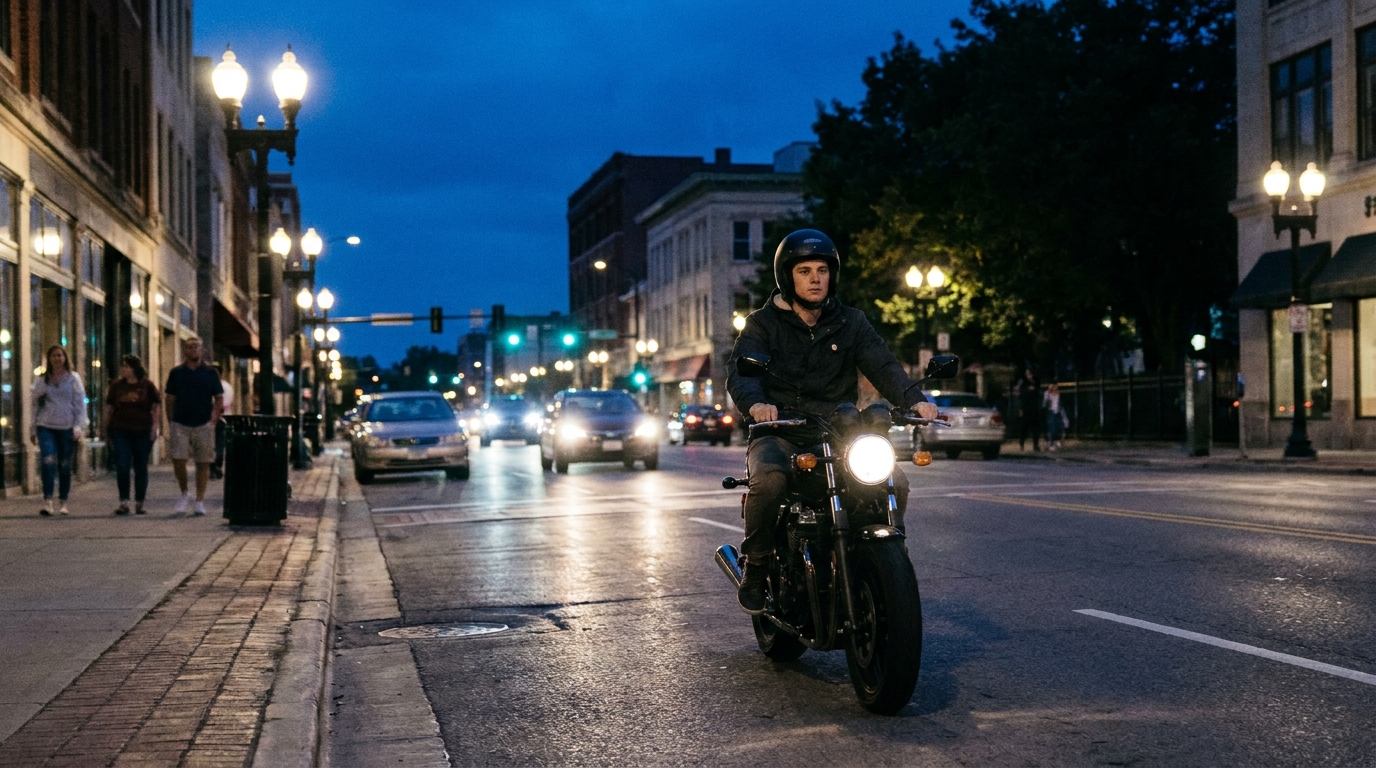
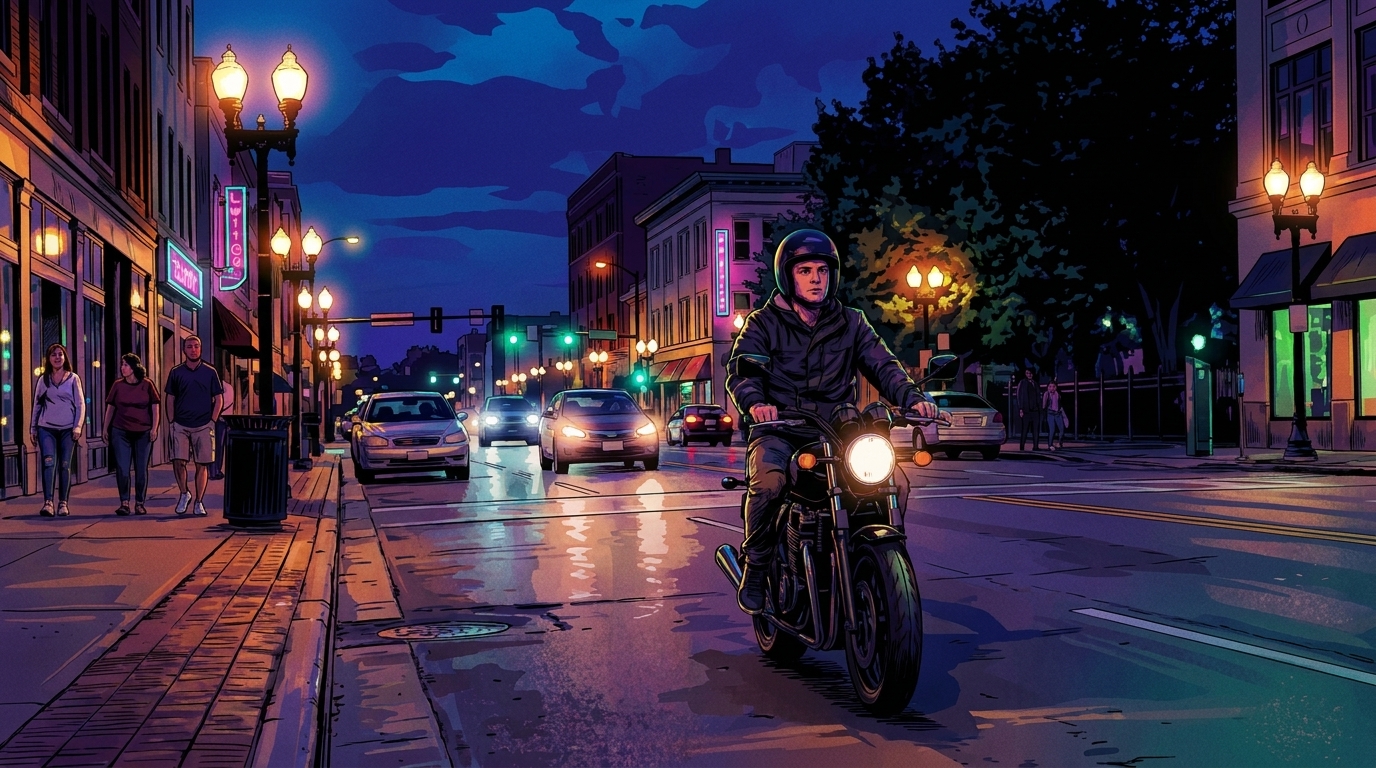
A GTA style image generator turns an ordinary photo into a bold, story-driven urban poster with comic-book outlines, saturated color, dramatic lighting, and a cinematic street mood. This GTA style workflow is designed for portraits, cars, nightlife, travel scenes, and city snapshots while keeping the original subject and composition recognizable.
What makes a GTA-style image
A GTA-style image is usually defined by graphic outlines, simplified but expressive forms, hard-edged shadows, and a palette that feels louder than a normal photograph. Neon pink, electric blue, violet, orange, and warm sunset tones can separate the subject from a dark city background. The result should feel like a GTA style poster with a point of view, not just a generic cartoon filter.
Composition is equally important. A strong subject, a readable silhouette, a memorable vehicle or prop, and a clear horizon give the image a game-poster rhythm. Street signs, palm trees, elevated roads, storefronts, wet pavement, and distant lights can suggest a larger city without filling every area with detail.
What you can create with a GTA style image generator
Use a GTA style image generator for profile pictures, music-cover concepts, travel memories, car portraits, nightlife scenes, fictional character posters, and social media banners. Try a motorcycle rider under a purple sky, friends outside a late-night diner, a classic car at a gas station, or a rooftop portrait above a glowing downtown grid.
The best results give the model one clear story beat. Say who is present, what they are doing, where they are, and what the lighting is doing. If you are transforming a personal photo, ask the generator to preserve the person, pose, camera angle, and main background layout so the style changes without losing the identity of the source image.
How to write a GTA-style prompt
A practical formula is: subject + action + location + time of day + palette + lighting + graphic treatment + composition. For example: “A woman leaning beside a red sports car outside a downtown motel, humid midnight, magenta and cyan neon, wet asphalt reflections, bold ink contours, cel-shaded comic poster, low-angle cinematic framing.” This gives a GTA style image generator concrete visual instructions instead of relying on the style label alone.
Keep the style layer stable while testing the scene layer. Change the weather, wardrobe, vehicle, or camera distance one at a time. For photo conversion, lead with “Convert this photo” and explicitly preserve the subject and layout; for text-to-image work, describe the character and setting from scratch.
Four GTA prompt directions to try
For a neon nightlife poster, combine a confident portrait, a glowing storefront, wet pavement, and a magenta-cyan palette. For a car scene, specify the vehicle silhouette, street position, reflections, and a low camera angle. For a travel image, use a recognizable landmark, warm sunset light, palm shadows, and a wide poster composition. For an action frame, choose one motion, one prop, and one strong light source so the scene stays readable.
You can also vary the era and atmosphere without naming a specific official game location. Try retro coastal nightlife, sun-bleached desert highways, rain-soaked downtown streets, or a quiet suburban block after midnight. These descriptions preserve the visual direction while leaving room for an original image.
How to improve the result
If the image looks too realistic, reinforce “graphic ink outlines,” “cel shading,” “poster illustration,” and “simplified expressive shapes.” If it becomes too busy, remove secondary characters and background objects. If the face or pose changes too much, repeat the preservation instructions and reduce the number of new props. These adjustments help the GTA style treatment stay graphic without becoming noisy.
Use color with intention. One dominant hue plus one accent usually looks stronger than a rainbow palette. Ask for a clean focal point, controlled background detail, and readable contrast around the subject. After each generation, edit only a few words so you can identify which prompt change improved the GTA style image.
Start generating your GTA-style image
The generator above includes an editable GTA-inspired image prompt. Use it as-is for a first pass, then replace the subject, location, vehicle, weather, and palette with your own idea. The prompt works best when the image has one protagonist and one clear cinematic moment.
GTA style image generator results become more personal when you keep the source story visible. Upload a photo, preserve its important structure, and use the GTA style layer to change the mood, color, and illustration treatment. Avoid official logos or named characters when creating original artwork.