Style guide
Ghibli-Inspired AI Image Generator: From Prompt to Image
A Ghibli-inspired image combines warm hand-painted detail, expressive characters, natural scenery, and a clear sense of story. With the Ghibli-style AI image generator above, you can start from a ready-to-use prompt and turn an idea into a Ghibli-style picture without drawing skills.
What makes a Ghibli-style image
Ghibli-style pictures are more than a simple cartoon filter. They usually combine soft hand-painted textures, gentle colors, natural light, and backgrounds filled with useful details. A quiet train station, a windy hillside, or a kitchen with afternoon sunlight can make the image feel like part of a larger story.
The most important ingredients are warmth and visual clarity. Give the image one recognizable subject, one meaningful action, and one setting that supports the mood. Then add details such as season, weather, time of day, clothing, plants, architecture, and light. This creates a Ghibli-style scene that feels intentional instead of visually crowded.
What you can create with the Ghibli-style AI image generator
You can use a Ghibli-style image prompt for character portraits, family memories, travel scenes, pets, phone wallpapers, storyboards, and fantasy environments. Describe a person reading beside a rainy window, a child riding through a forest, a cat waiting at a rural station, or friends watching the sunset from a seaside town.
The generator is also useful when you have only a rough idea. You do not need to know camera language or illustration terminology. Start with who or what should appear, explain what is happening, and let the setting carry the atmosphere. After the first result, change one or two details at a time so you can see which words improve the Ghibli-style image.
How to write a Ghibli prompt
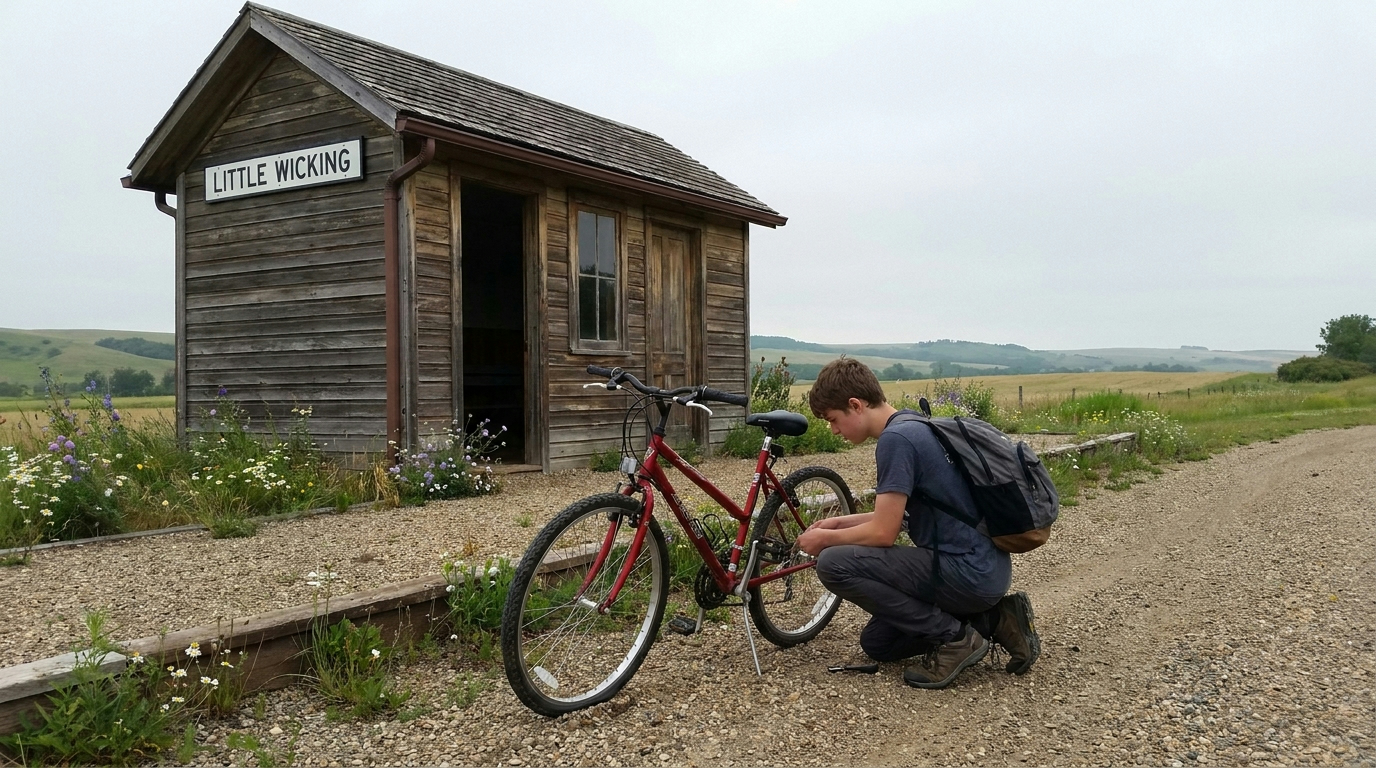
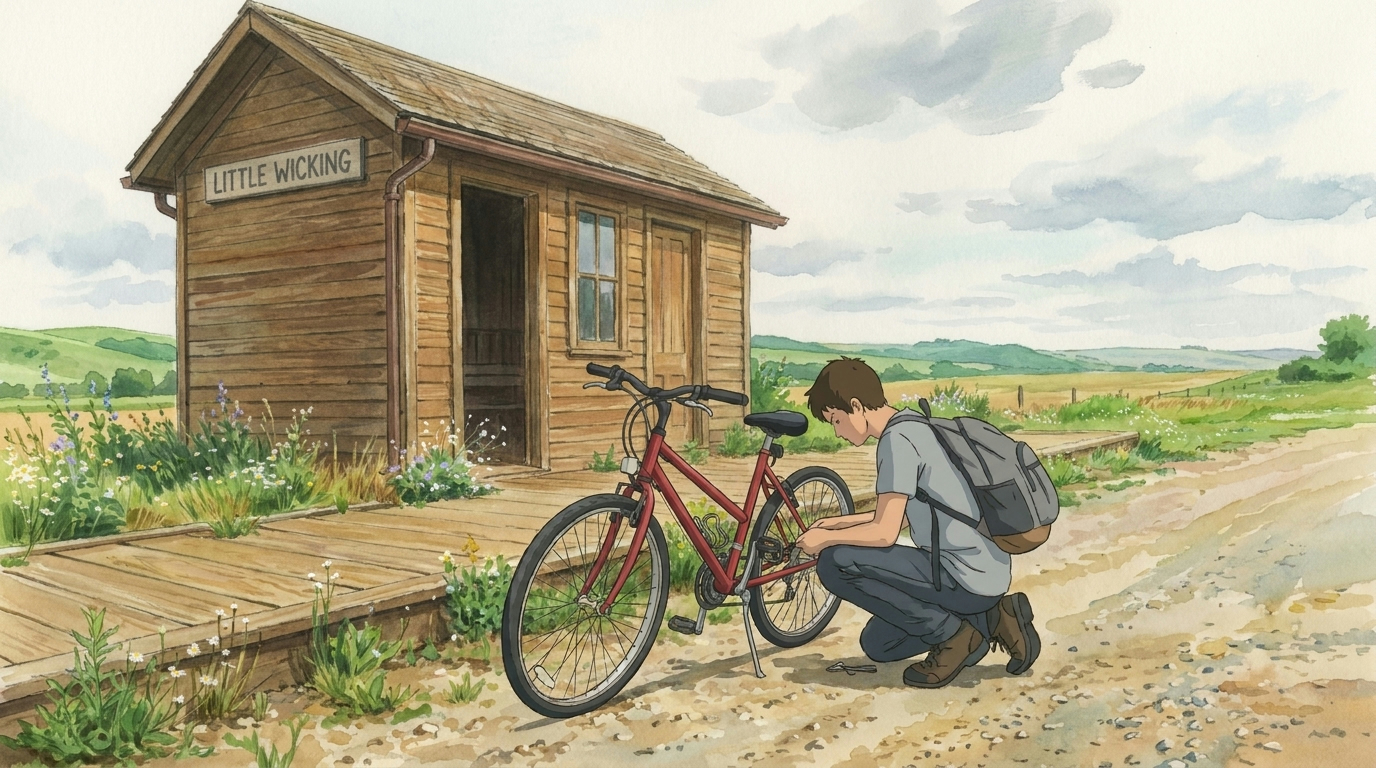
A practical Ghibli prompt formula is: subject + action + setting + light + color + mood + composition. For example: “A young traveler repairs a red bicycle beside a quiet countryside station, early summer morning, soft golden sunlight, moss green and cream palette, warm hand-painted animation texture, wide cinematic composition.” This structure gives the AI image generator enough information without making the prompt difficult to edit.
The preset Ghibli prompt above is a starting point, not a locked formula. Replace the subject, action, location, season, and mood with your own idea. Keep the style terms stable while you test the content terms. This makes it easier to understand why one Ghibli-style picture works better than another.
Four Ghibli prompt directions to try
For a character image, focus on clothing, gesture, expression, and one memorable prop. For a landscape image, focus on depth, weather, plants, architecture, and the direction of light. For a pet image, describe the animal’s personality and a familiar place instead of only naming its breed. For a fantasy image, choose one magical element and keep the rest of the world believable.
These four directions work because they answer the questions users usually care about: who is in the image, what is happening, where is it happening, and what should the image make people feel. They also leave enough room for the generator to create details instead of forcing every object into a rigid list.
How to get a better Ghibli-style image
If the result is too generic, add a specific location, action, season, or object. If the image is too busy, remove secondary subjects and keep one main focal point. If the colors feel chaotic, ask for a limited palette such as moss green, warm cream, sky blue, and a small red accent. If the scene lacks emotion, describe the relationship between the subject and the environment rather than adding more adjectives.
You can also improve the result by changing the framing. Use a wide establishing view for travel and landscape images, a medium shot for daily-life scenes, and a close character moment for portraits. The best Ghibli-style pictures usually balance a clear subject with an environment that gives the viewer a reason to keep looking.
Start creating your Ghibli-style image
The generator at the top of this page already includes a Ghibli-inspired prompt, so you can try it immediately. Keep the preset for your first image, then change the subject or setting for the next version. You can write in your own words, adjust the scene, and continue refining the prompt until the image matches the story in your head.