
Flashlight photo generator
Flashlight AI Photo: Create a Mini Anime Version of Yourself in Your Palm
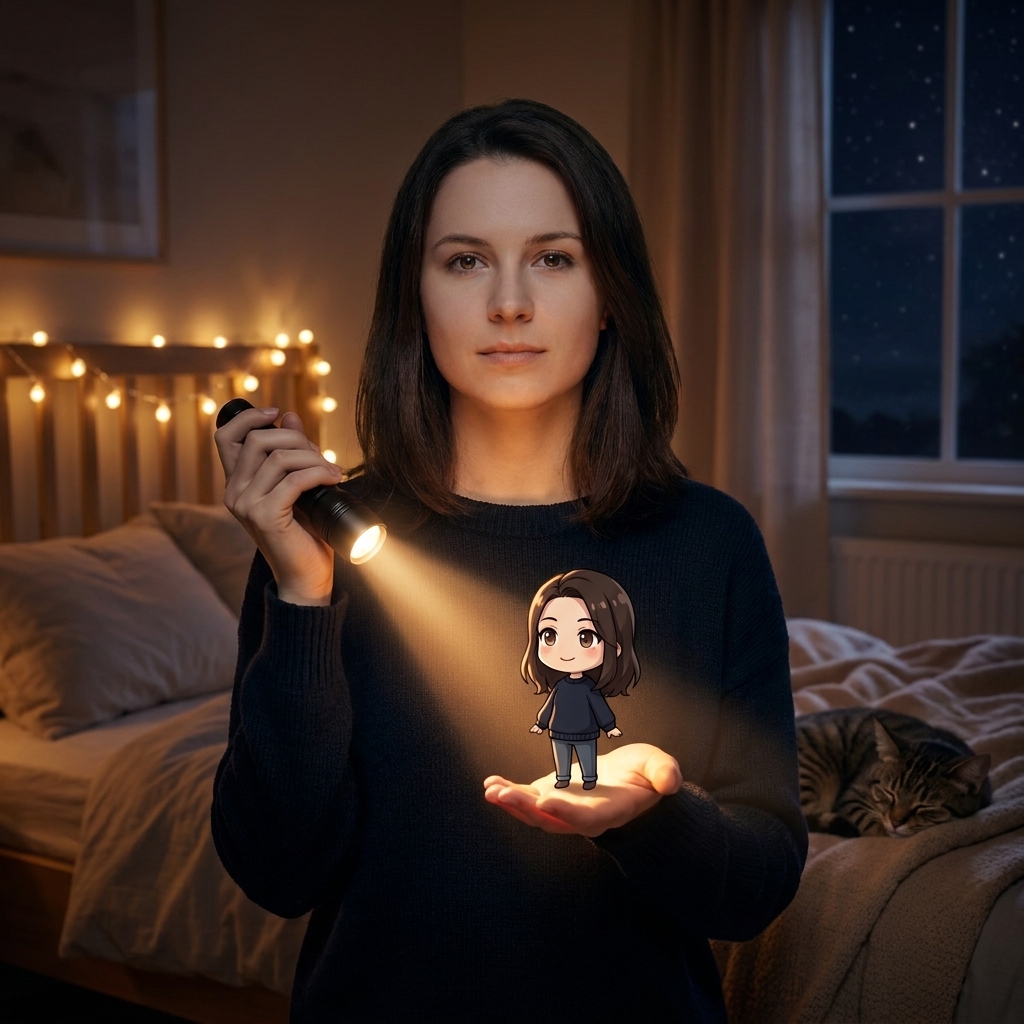
The flashlight AI photo trend is simple, cozy, and charming: you hold a small flashlight over your open palm, and a tiny chibi anime version of yourself stands on your hand, lit by the warm glow. It feels like a miniature you has stepped out of a dream into your bedroom. This page shows you how to make that image with a built-in image-to-image generator, starting from one ordinary photo of yourself. We also cover the most useful flashlight AI photo prompt ideas, plus fixes for common problems like an over-animated face or a mini character that looks pasted on.
What a Flashlight AI Photo Is
When people search for flashlight AI photo, they usually want one specific scene: a real person in a dim, cozy bedroom at night, holding a small flashlight in one hand and pointing it down at the other open palm. Standing on that palm is a tiny chibi anime version of the same person, with the same hairstyle, hair color, and outfit, smiling up at them. The flashlight beam is the main light source, warming the mini figure and the hand while the rest of the room stays soft and shadowy.
This is not about painting a beam of light on a wall or placing an anime character inside a spotlight. The core appeal is the contrast between the realistic person and the miniature animated self, connected by a simple household flashlight. That contrast makes the photo feel magical but believable. In this guide, we use the built-in image-to-image generator so you can upload one clear photo and turn it into this exact scene, with a prompt that is pre-filled, editable, and reusable.
What This Generator Can Do
The built-in image-to-image generator is designed to keep your identity while changing the scene. The main variation is the palm version: a mini chibi you stands on your open hand, holding a flashlight in the other hand, in a warm night bedroom. You can also place the mini version on your shoulder, on a desk, on a mug, or next to a book, as long as the flashlight remains the main light source and the mini character matches your hair and outfit.
If you want to push the idea further, you can create a side-by-side comparison where the real you and the mini anime you are looking at each other from a short distance. Another useful branch is a purely realistic dark flashlight portrait, with no anime element at all, just a person lit by a small flashlight in a dark room. The generator keeps the same photo-to-photo workflow, so you can switch between these directions by editing only a few words in the prompt.
How to Write a Flashlight AI Photo Prompt
A good flashlight AI photo prompt has three layers. First, state what to keep: the uploaded photo is the identity reference, and the person must stay photorealistic and recognizable, with the same face, hairstyle, and clothing. Second, state what to change: add a miniature chibi anime version of the same person, place it on the open palm, and light the scene with a flashlight held by the real person. Third, set the light and the guardrails: the flashlight is the main light source, the room is a cozy night bedroom, and the image must not become fully anime or add text or watermarks.
The most important technical point is scale and light direction. The mini version should be small enough to stand on a palm, and the flashlight should shine from above onto both the palm and the mini character. If the light direction is inconsistent, the image looks fake. Keep the prompt short and direct; the model already understands warm flashlight glow, chibi proportions, and cozy night rooms, so you do not need to list camera settings or color temperatures.
4 Prompt Directions You Can Use Right Away
Palm mini version: “Use this photo as identity. Keep the person photorealistic. In a cozy night bedroom, the same person holds a small flashlight and shines it onto an open palm, where a tiny chibi anime version of themselves stands, same hair and outfit, smiling up. Flashlight is the main light source. Do not change identity, do not anime-fy the whole photo.”
Shoulder companion: “Same person, same identity. In a dim warm room at night, a miniature chibi anime version of the same person sits on the person's shoulder, while the person shines a small flashlight on them. Keep the person realistic, keep the mini version small and matching the original hair and clothes. No text, no watermark.”
Desk or mug scene: “Keep the person realistic. In a warm night bedroom, a tiny chibi anime version of the same person stands on a desk next to a mug, lit by a small flashlight held by the person. Matching hair and outfit. The room is dim and cozy. Do not change the person's identity, do not turn the whole scene into anime.”
Realistic dark portrait: “Keep the person photorealistic and recognizable. In a dark room at night, the person holds a small flashlight near their face, creating warm shadows on one side. No anime characters. The flashlight is the main light source. No text, no watermark.”
How to Make the Result More Natural and Fix Common Issues
The most common problem is that the whole photo becomes anime, including the real person's face. To fix this, strengthen the instruction “keep the person photorealistic” and add “only the mini figure is anime”. If the mini version does not look like you, use a close-up photo of your face and outfit in the upload, and repeat “same hairstyle, same hair color, same outfit” in the prompt. If the hand looks distorted or the mini character looks like a sticker, check the lighting direction and scale: the mini should be standing on the palm, not floating, and the flashlight glow should wrap around both the hand and the character.
Another common issue is a light ratio that feels wrong, such as a bright room with a flashlight that has no effect. Keep the room dim and let the flashlight be the obvious main light source. If the mini character looks too large or too small, describe the placement more clearly, for example “standing on the center of the open palm”. When you make these small edits, keep the identity reference and the “do not add text or watermark” guardrail unchanged. A few iterative generations are usually enough to get a balanced, natural flashlight AI photo.
Start Generating Your Flashlight AI Photo
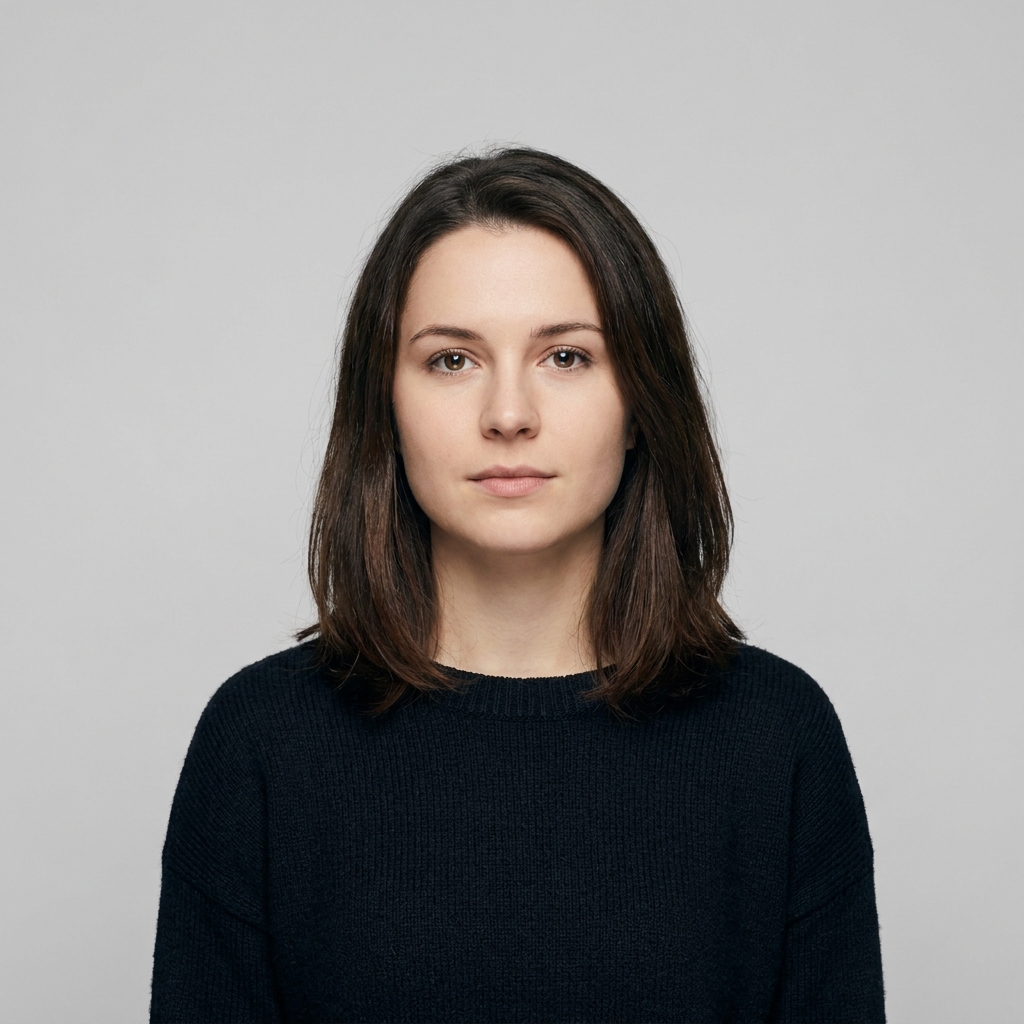
To begin, choose one clear single-person photo where your face, hairstyle, and outfit are easy to see. A front-facing photo in normal lighting works best. Upload it to the built-in image-to-image generator, and the pre-filled prompt will already describe the palm mini version scene. Click generate, then look at the result side by side with your original photo. Check three things: whether your face is still recognizable, whether the mini version matches your hair and clothes, and whether the flashlight glow feels like the only light source.
If something feels off, edit the prompt and generate again. You can change the mini character's position, switch to a shoulder or desk scene, or choose a fully realistic dark flashlight portrait. The generator is reusable and the prompt stays editable, so you can experiment freely. Once you are happy with the result, save it and use it as a profile photo, a phone wallpaper, or a gift for a friend. The flashlight AI photo trend is all about a tiny, warm, miniature version of you appearing in your own hand, and now you can make it in a few minutes.