

Retro photo generator
80s Photo Generator Free: ChatGPT Prompts for 1980s Style
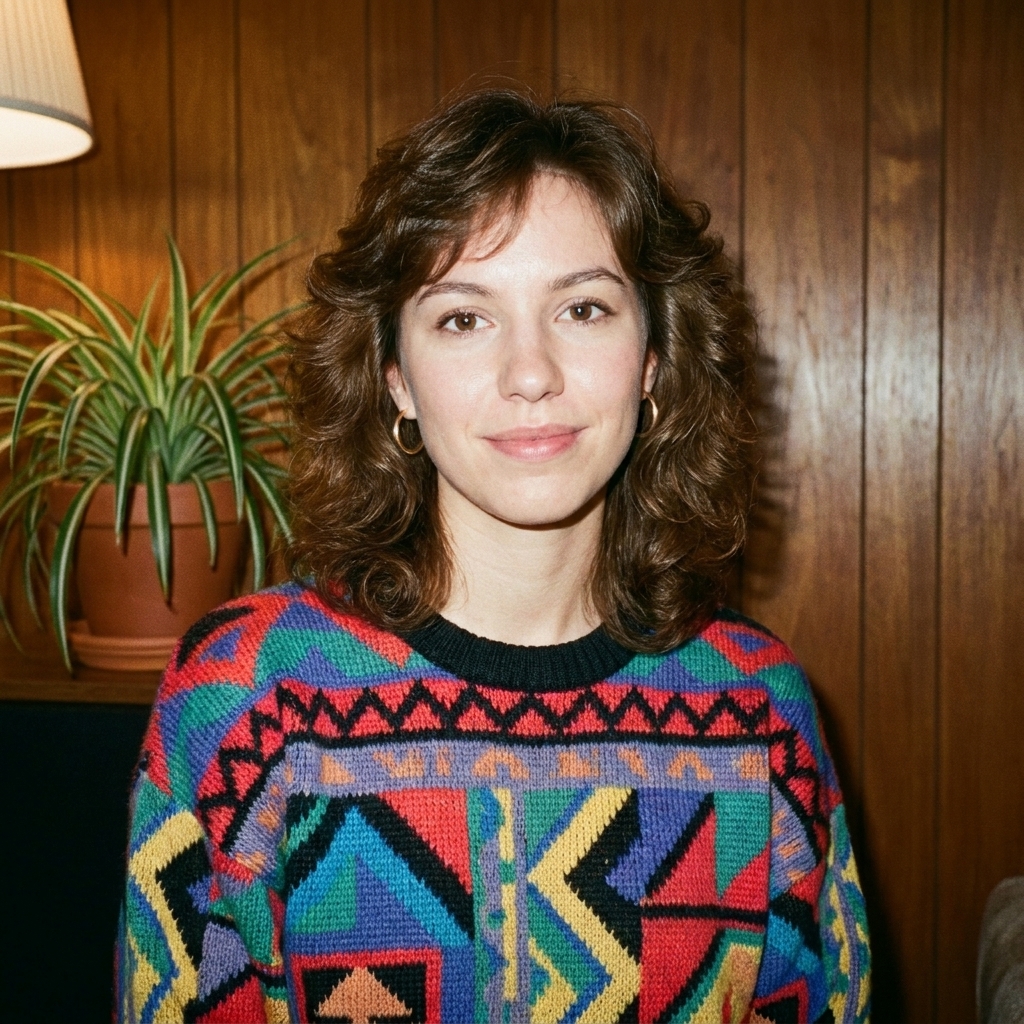
An effective 80s photo edit is more than neon colors and a retro filter. It combines a period-appropriate hairstyle and clothing with the technical character of a real 35mm snapshot: direct flash, warm indoor shadows, modest grain, gentle halation, and slightly faded color. This free 80s photo generator gives you an editable ChatGPT prompt for changing the era styling while keeping the original person and pose recognizable.
What makes an 80s photo look authentic
An authentic 80s photo combines specific technical and stylistic elements that instantly evoke the 1980s. The photography technology of the era—primarily 35mm film cameras with direct flash—created warm tones, visible film grain, soft focus, and occasional red-eye effects. Kodak and Fuji film stocks produced saturated colors that have slightly faded over time, giving vintage prints their characteristic look.
Styling is equally important. Voluminous hair, bold fashion choices, high-saturation clothing, shoulder pads, denim jackets, and statement jewelry defined the decade. Studio portraits featured classic backdrops—laser grids, gradient backgrounds, or simple home interiors with vintage furniture and CRT televisions. The combination of analog photography imperfections and era-specific fashion creates the nostalgic aesthetic that makes 80s photos instantly recognizable.
How to write an 80s photo prompt
A successful 80s photo prompt has three layers: preservation, transformation, and technical detail. Start by explicitly stating what must remain unchanged—the person's face, facial features, identity, skin tone, and recognizable characteristics. This prevents the AI from generating a different person. Use phrases like 'preserve exactly' and 'keep unchanged' to reinforce identity preservation.
Next, specify what should transform: hairstyle to voluminous 80s style, clothing to colorful 1980s fashion with bold patterns, and setting to a period-appropriate background. Finally, add technical photography details that define the era: warm analog tones, direct flash lighting, subtle film grain, soft focus, slightly faded colors, and natural studio or home environment. This structure gives the AI clear boundaries while achieving authentic 80s photo results.
Five 80s photo prompt directions to try
1. Classic Studio Portrait: Transform into an authentic 1985 studio portrait with voluminous feathered hair, a denim jacket or colorful sweater, soft studio lighting with direct flash, a gradient or laser-grid backdrop, visible film grain, and warm Kodak colors. 2. Family Photo: Recreate a casual 1980s family snapshot with period hairstyles, high-waisted jeans or patterned clothing, a home interior with vintage furniture and CRT television, warm natural light with flash, and the slightly faded quality of old prints. 3. Yearbook Portrait: Convert to an authentic 1980s high school yearbook photo with feathered or permed hair, preppy or athletic clothing, a simple studio backdrop, soft flash photography, and the characteristic composition of yearbook portraits.
4. Vacation Snapshot: Transform into a 1980s travel photo with casual 80s fashion, bright outdoor lighting, vibrant film colors, visible grain, and tropical or urban vacation settings. 5. Retro Glamour: Create a fashion-forward 80s portrait with dramatic voluminous hair, bold makeup, statement jewelry, neon or metallic clothing, theatrical lighting, and the high-contrast aesthetic of 1980s fashion photography. Each direction maintains your identity while exploring different facets of 80s photo style.
Tips for better 80s photo results
Start with a clear, well-lit portrait where your face is fully visible and unobstructed. Avoid heavily filtered modern photos, sunglasses, or angles where facial features are partially hidden—the AI needs clear reference to preserve your identity accurately. Front-facing or slight three-quarter angles work best. Upload the highest resolution available to give the generator more detail to work with.
If the first result changes your face too much, strengthen the preservation instructions: add 'maintain exact facial structure,' 'preserve recognizable identity,' and 'do not alter face shape, eyes, nose, or mouth.' If the styling looks too modern, emphasize period-specific details like 'authentic 1980s,' 'voluminous feathered hair typical of 1985,' or 'avoid contemporary fashion.' Compare the generated 80s photo side-by-side with the original to ensure your identity remains clearly recognizable while the era transforms around you.
The 80s Look Trend: Make AI Style Feel Believable
The 80s look trend feels most convincing when it uses a small set of specific cues instead of piling on every retro symbol. Choose one photographic setup, such as a direct-flash living-room snapshot or a soft studio portrait, then support it with era-appropriate hair, clothing, and color. A little grain and color drift helps; heavy noise, extreme neon, and exaggerated blur usually make the image look like a modern effect.
A convincing 80s style AI result keeps the original framing and facial landmarks stable so it still reads as the same person. Ask for natural skin texture and ordinary details such as a slightly uneven flash exposure or a dated interior. These restrained imperfections make the 80s photo feel observed rather than staged.
Create your free 80s photo
The generator above includes an editable 80s photo prompt designed to preserve your identity while transforming the styling, fashion, and photography aesthetic to authentic 1980s standards. Upload a clear portrait photo, review the pre-filled prompt, and adjust any details you want to emphasize—specific hairstyles, clothing types, or background settings.
After generating your 80s photo, compare it carefully with your original image. The face and identity should remain unmistakably yours, with only the era-specific styling, fashion, lighting, and film characteristics transformed. If you want to try different 80s photo styles, use the five prompt directions above as starting points and modify the fashion, setting, or photography details to explore yearbook portraits, family snapshots, vacation photos, or retro glamour looks. The 1980s offered diverse visual styles—experiment to find the version that feels most authentically you.